
Build And Crush
Build and Crush: stack it up, then tear it down
Build and Crush is a blocky sandbox with two moods. One minute you are placing bricks, wood and glass to raise a tower exactly the way you picture it. The next you are holding a nuke and flattening somebody else’s tower into rubble. Both halves live in the same browser game, and you can switch between them whenever you like.
A world made of blocks
Build mode gives you a plot and a pile of materials. Ordinary blocks such as bricks, granite, wood, leaves and glass are there for walls and floors, and colored blocks let you make a roof red instead of grey. Shapes go beyond plain cubes: cylinders, triangles, stairs and columns are available too, so your build can become a castle, a maze, a bridge, or a tower of animals that makes no sense at all. Animals and parkour obstacles are part of the block set as well, which means you can drop springs and hazards into a map while you are still building it.
Placing and removing blocks is done with the mouse. You aim at the spot you want, click to place a block and click again to knock one out when you change your mind. Movement is open: W, A, S and D walk you around the plot, while Shift and Space fly you up and down so you can reach the top of whatever you are working on.
Your build goes public
When the structure finally looks right, you save it. Saving also lets you playtest straight away, so you can run your own creation and check that every jump works. Publish it and other players can find it, climb on it and, sooner or later, destroy it. You can also vote on the creations you try, which is a small way to help the players whose maps you enjoyed.
Then comes the crush
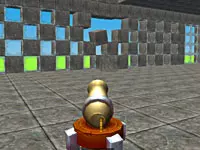
Crush mode drops you into that public collection. You can browse other players’ builds by newest, best or recommended, or hit the random button and let the game pick a target for you. Weapons cover a lot of ground: TNT for a clean blast, a cannon for direct hits, a car or a soldier for physical damage, an airplane for a fly-by, fire and earthquakes for wider damage, and heavier options like meteorites, tsunami waves, a black hole or a nuke when you want the whole map gone. Press F for free flight so you can look at the damage from above, and press C whenever you want a fresh random creation to wreck.
Fast Crush, parkour and rising lava
Fast Crush is the score-chasing version of destruction. Your weapon uses are limited and the game times how fast you clear a build, so you learn to plan a route instead of spraying everything at once. A leaderboard sits behind it, which gives you a reason to come back and beat your own time.
Parkour mode shifts the focus to movement. You race to the finish past spikes and rotating bars, using springs to launch yourself higher and checkpoints to restart close to where you fell. One variant of the mode, Lava mode, raises the lava slowly, and touching it ends your run.
Controls to remember
In Build mode you move with W, A, S and D, fly with Shift or Space, remove blocks with a left-click and place them with a right-click. In Crush mode, left-click selects weapons from the bottom of the screen, F switches to free flight and C loads another random creation. Any extra controls show up on screen while you play.
Why you’ll want one more run
The loop is short and it keeps handing you reasons to start again. You finish a build and you want to see whether other people can climb it. You open a random creation and you want to know whether the cannon or the earthquake does the job faster. You set a Fast Crush time and you want to shave a second off it. Because everything runs in your browser, a session can be a two-minute demolition or a long evening of map design, whichever you feel like.
Build and Crush is played with a keyboard and a mouse. Pick a mode, grab the blocks or the weapons, and decide whether today is a building day or a crushing day.
Tags
Gameplay Video

FAQ
What do you do in Build and Crush?
You build structures out of blocks and then destroy them. In Build mode you place blocks such as bricks, wood, glass and colored cubes to create whatever you like, then save the result and make it public. In Crush mode you open other players' creations and blow them apart with weapons. There is also a parkour mode where you race to a finish line.
What are the building controls in Build and Crush?
Movement uses W, A, S and D, while Shift or Space makes you fly up and down. Left-click destroys blocks and right-click places them. Extra controls are displayed on screen inside the game.
How do you crush a build in Crush mode?
Open a creation (you can sort by newest, best or recommended, or press C for a random one) and then left-click a weapon at the bottom of the screen to use it. Weapons include TNT, cannons, fire, earthquakes, cars, airplanes, hydraulic presses and a nuke. Press F for free flight to get a better view of the damage.
Can you save and share what you build?
Yes. After building you save your creation, which also lets you playtest it right away. You can then make it public so other players can play on it, and you can vote on the creations you visit.
What is Fast Crush mode?
Fast Crush is a timed version of Crush mode. Each weapon has a limited number of uses, so you have to plan how you demolish a build, and your run is timed. The mode has its own leaderboard, so you can compare your fastest runs.
What is parkour mode in Build and Crush?
Parkour mode is a race to the finish across obstacles such as spikes and rotating bars. Springs launch you higher and checkpoints restart you near the place where you fell. A variant called Lava mode raises the lava slowly, and touching it ends your run.