
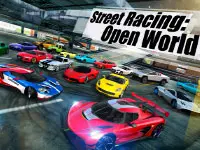
Street Racing: Open World
Street Racing: Open World
Street Racing: Open World puts you behind the wheel of a 3D driving game that runs straight in your browser. There is no download to sit through and no install to approve. You open the page, you get a car, a big open map is waiting for you, and it is free to play.
The loop is easy to understand. You drive, you take on missions, you work toward more cars, and you keep exploring. That is the whole hook, and it is enough to keep a session going far longer than you planned.
How the open world plays
The map is the star here. You start among city streets where the traffic and the tight corners keep you busy, and the road eventually runs out into desert stretches where the scenery thins and the speed climbs. Nothing locks you into a single route either. Follow the mission markers if you want a goal, or pick a side road and see where it ends.
Driving is where the game asks for a bit of skill. You learn to brake early into a corner and let the car slide through rather than fight it. On the long straights you find out how much room you have before the next turn arrives. Drifting is part of that rhythm rather than a separate mode: carry too much speed into a bend and the car rotates, and you either catch it or you do not.
The map also gives you room for stunts. Ramps and open ground let you take a car into the air, and big jumps are there for you to hunt down. None of this is scripted for you. If you feel like ignoring the objectives and just driving for ten minutes, the game lets you.
Missions that give you a reason to move
Missions are what turn a free drive into a session. Races give you a route to chase and a reason to get to know the streets. Time trials put the clock in front of you and ask you to be quick on a route. Big jumps send you off ramps and into the air. Delivery runs give you a car to move from one place to another.
They also sit next to a garage that keeps growing. There are cars to unlock, so each session has a target beyond the next corner: more vehicles to drive, and more of the map to see them on. That is the pull of the game. You take on one challenge, the garage gets a little fuller, and you want one more run before you close the tab.
Customizing your ride
Part of the appeal is building a car that looks like yours rather than a starter model. You can change the colour, add decals, swap out spoilers and wheels, and upgrade the way the car drives. The look and the handling are separate projects, and both matter.
This is the part that keeps players in the menu. A new spoiler changes the shape of the car you see on every corner you take, and a handling upgrade changes how that same corner feels a minute later. You get to feel the difference immediately, which is exactly what you want from a tuning system.
Controls on desktop and mobile
On a keyboard the scheme is short and easy to remember. WASD drives the car. Space is the brake. A camera button lets you change your view, and a small row of on-screen buttons covers restarting a run, switching the camera and pausing the game. Everything else is a click on the game screen, so you can learn the whole thing in one lap.
On a phone or tablet the keyboard goes away and on-screen touch buttons take its place. You tap them to drive, and the same in-game buttons handle the camera and the pause menu. That keeps the controls within reach of your thumbs while the road is under you.
Why you come back to it
The reason to return is that the game never runs out of small goals. There is always a car you have not unlocked yet, a corner you have not drifted cleanly, and a mission type you have not tried. Free driving and mission driving live in the same map, so you can switch between them whenever you feel like it.
It also suits short sessions. You can play for five minutes, take one race and close the tab, or you can disappear into the desert for half an hour looking for a better jump. That flexibility is what makes an open-world driving game work in a browser.
So get in, pick a car, and give yourself a target: one clean run through the city, one long drift through a corner, one jump that lands properly. The streets are open, and they are free to drive.
Tags
Gameplay Video

FAQ
Is Street Racing: Open World free to play in your browser?
Yes. The game runs in your browser with no download and no install, and it is free to play. You can start a session from the page you are on.
What do you actually do in Street Racing: Open World?
You drive 3D cars around an open map that runs from busy city streets out to desert roads. You can cruise freely, drift through corners and take on missions when you want a goal.
What are the desktop controls for Street Racing: Open World?
WASD drives the car and Space is the brake. A camera button changes your view, and on-screen buttons cover restart, camera and pause, which you click with the mouse.
Can you play Street Racing: Open World on a phone or tablet?
Yes. On a phone or tablet the game shows on-screen touch buttons in place of the keyboard, and you tap them to drive and to use the in-game buttons.
Can you customize and upgrade your car?
You can change the colour, add decals, swap spoilers and wheels, and upgrade the way the car drives. More cars are also unlockable as you play.
What kinds of missions are in Street Racing: Open World?
The game lists races, time trials, big jumps and delivery runs. They sit alongside free roaming, so you can ignore them and just drive if you prefer.